← Back to Resources
How to Build Trusted CTV Ads
Have a 10-second clip of B-roll, a candidate video, or footage you recorded on your phone? If not, no worries you can also use stock assets or even safely curated AI generated visuals.
That can be enough to build a complete, platform-ready CTV ad.
BattlegroundAI helps you turn the assets you already have into structured video advertising while applying the rules, disclaimers, and creative requirements that matter for your campaign.
Here’s how it works.
1. Create your workspace
Start by creating a workspace for your organization, campaign, or client.
Your workspace keeps your creative, branding, assets, and advertising requirements organized in one place, making it easier to create multiple ads and variations over time.
2. Set the rules for your campaign
Before you start building, select the rules that apply to your organization and jurisdiction.
BattlegroundAI uses these settings to help structure your creative around the applicable advertising requirements, including elements such as disclaimers, end cards, and other required components.
Instead of adding compliance at the end of the process, you can build with the right structure from the beginning.
3. Start a new video ad
Click + New Ad and select Video.
From there, you can begin assembling your CTV creative.
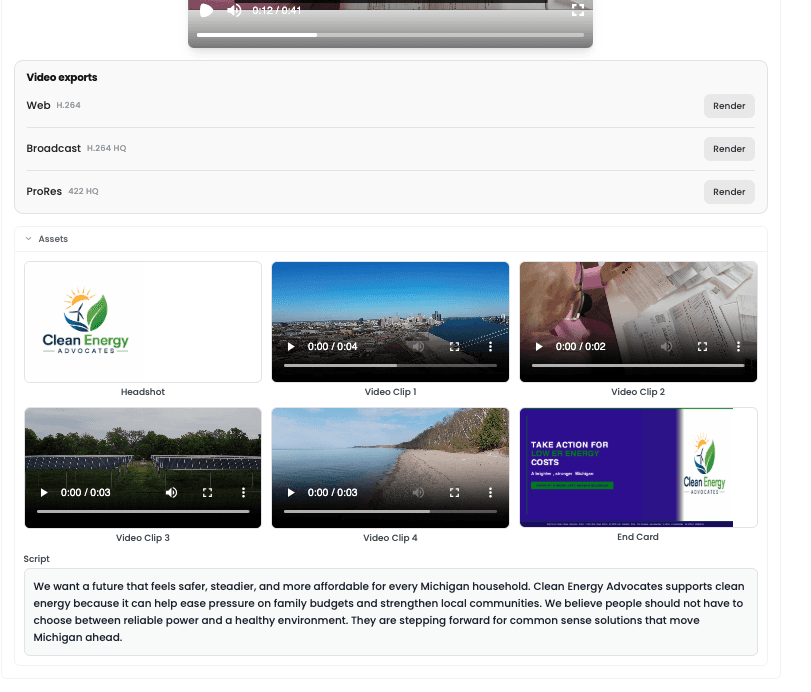
4. Add your creative assets
Use the content you already have.
Upload:
B-roll
Existing video clips
Photos
Logos
Don’t have everything you need? You can also experiment with royalty-free stock assets or AI-generated creative where appropriate.
A simple 10-second clip can become the foundation of a much more complete ad.
5. Configure your ad
Select the parameters for your video and add the required campaign information.
This can include your end card, disclaimers, branding, and other structured components needed for the finished advertisement.
BattlegroundAI helps keep these elements consistent while you focus on the message and creative.
6. Add your script
Already have copy? Drop your script directly into the builder.
Starting from an idea instead? Use BattlegroundAI to generate a draft and then edit it to match your campaign's voice and message.
You stay in control of what ultimately appears in the ad.
7. Generate your creative
Once your assets, script, and required components are in place, start creating.
BattlegroundAI brings everything together into a structured video ad designed for CTV.
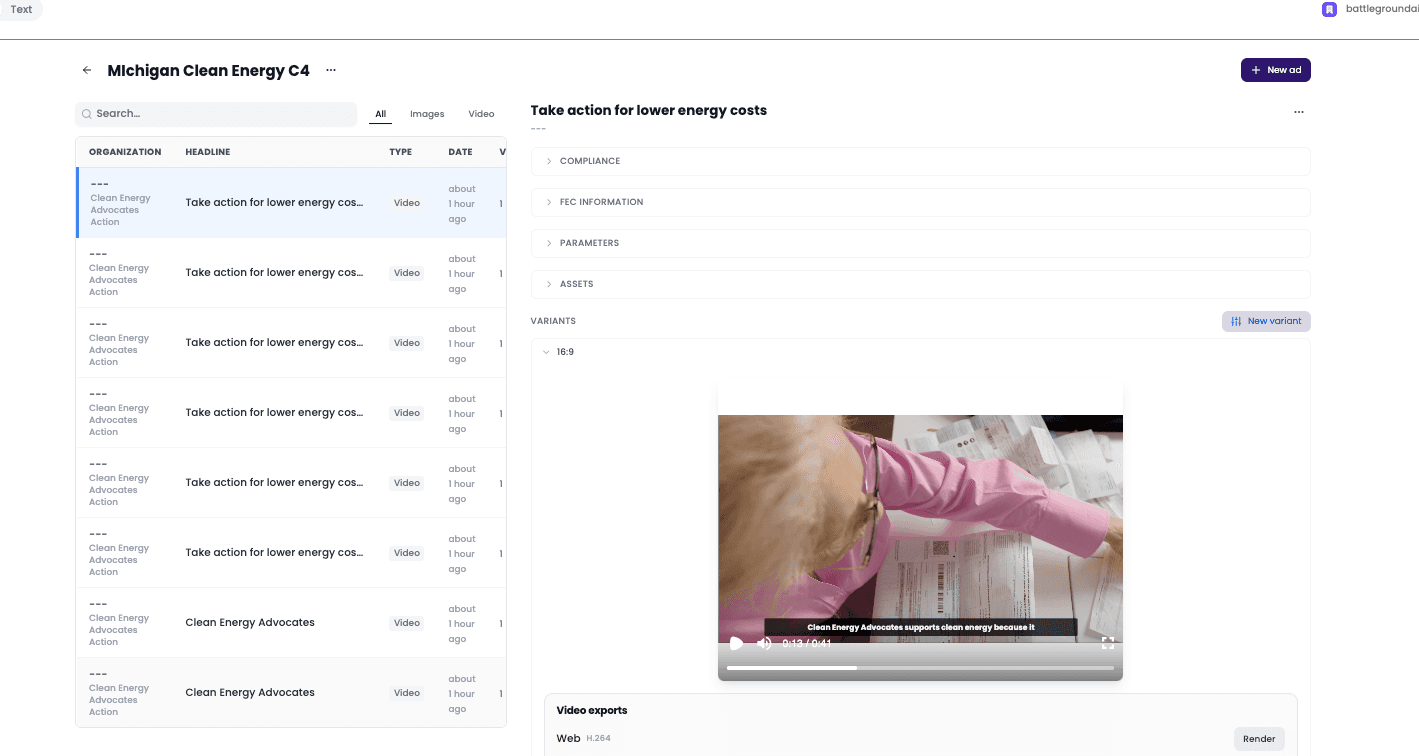
8. Create variations and keep improving
The first version does not have to be the final version.
Make a copy, change the script, swap footage, test another opening, adjust your visuals, or create additional versions for different audiences.
Because the structure is already in place, you can iterate without rebuilding the entire ad from scratch.
9. Download and activate
When your ad is ready, select the appropriate download quality for your media platform.
Review the final creative, export your asset, and move it into your advertising workflow.
From 10 seconds of B-roll to a ready-to-run CTV ad
You shouldn't need a full production team every time you want to launch a new video ad.
BattlegroundAI gives campaigns a faster way to turn the footage and creative they already have into structured, compliant advertising.
1) Upload 2) Build 3) Review 4) Launch
Go from a 10-second clip to a finished CTV ad in minutes.